Booking Links
This function is used to group/ungroup reservations
Reservations can be grouped (linked) so that they are shown on a same confirmation/invoice.
By definition, a booking is an occupation of a number of consecutive days in one room by a guest. Thus in case of a family that occupies more than one room, several bookings need to be made. Also in case of a group, several bookings must be made for each room occupied.
Once all bookings are entered, they can be linked together by using this Links function.
How to access:
To open the window, open the booking details of an existing reservation and click the Links button
The top part shows the main booking details.
The bottom part shows the bookings that are linked to the main booking
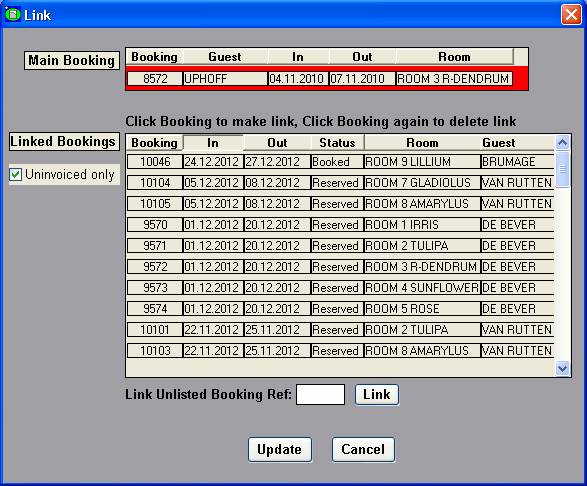
Link a reservation to the main booking by clicking it. The reservation becomes highlighted
Unlink a reservation from the main booking by clicking the highlighted reservation.
If the reservation to link is not in the list, then enter its reference number and click the Link button.
Click Update to confirm the changes.
Click Cancel to exit this window without updating the changes